Inside the app
Everything you can do through the kk8135 app

A complete platform in your pocket
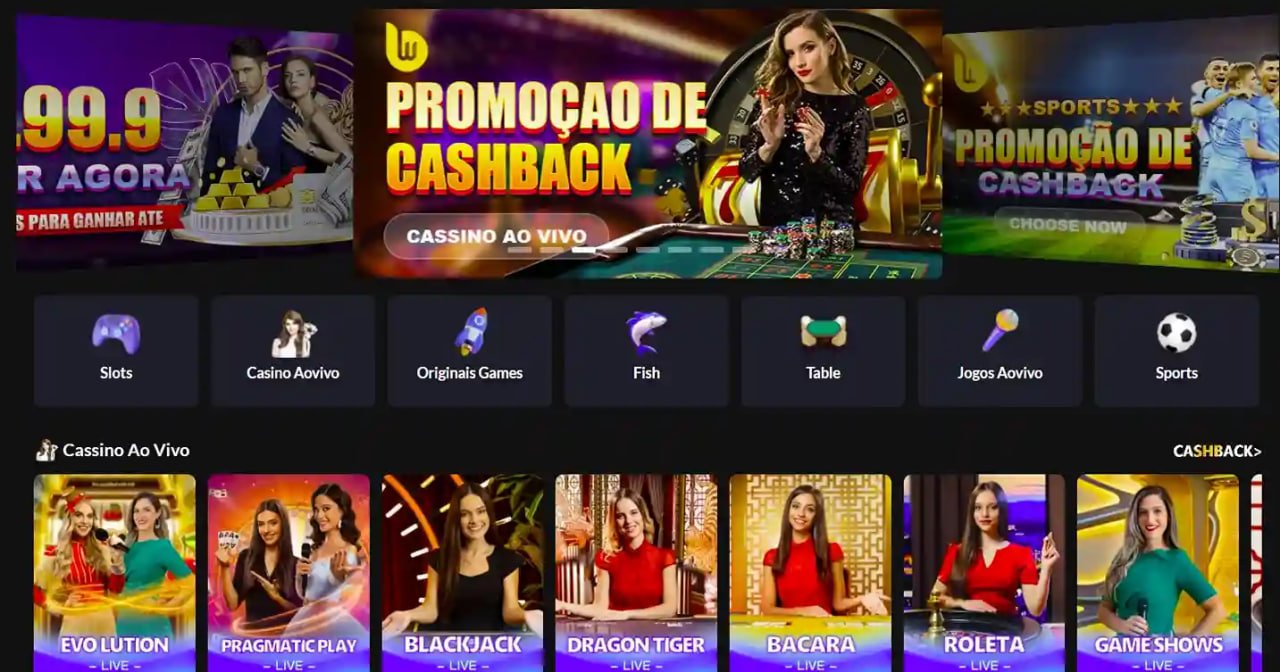
Who accesses the kk8135 via the app loses nothing compared to the desktop version. The full game catalog is available: slots from leading providers, European and American roulette, blackjack, baccarat, live poker and much more. Live dealer tables work great on a 4G or Wi-Fi connection, with high-quality streaming and a touch-optimized interface.
In addition to casino games, the app also gives full access to the sports betting section. You can follow Brazilian football odds, place pre-game and live bets, and track results in real time — all in one place, without switching between different apps.
Deposit and withdrawal directly through the app
One of the most praised features by Brazilian users of the kk8135 is how simple it is to move money through the app. To deposit, you access the wallet inside the app, choose Pix as the payment method, enter the amount and the QR Code is generated automatically. You open your banking app, scan the code and confirm — the balance lands in your kk8135 account almost instantly.
To withdraw, the process is equally straightforward: enter the Pix key you want to use, confirm the amount, and wait. Pix withdrawals are typically processed quickly, and you can track the request status directly inside the app. Visit the Withdrawal to view detailed deadlines and limits.
Important: the kk8135 app does not store your banking details. Pix confirmation always takes place within your own banking app, keeping the transaction secure.
Bonuses and promotions accessible through the app
All promotions available on the kk8135 web version also appear in the app — and in some cases, app users receive early notifications about limited-time bonuses that may not appear for those accessing only via browser. This includes free spins on selected slots, cashback on sports betting, and seasonal promotions tied to the Brazilian football calendar.
To redeem any bonus, simply go to the promotions tab inside the app and follow the instructions. Betting terms are displayed clearly before you accept any offer.
Security and privacy in the app
The kk8135 app uses SSL encryption on all communications between the app and its servers. This means your login data, transactions, and personal information travel securely. The app also supports two-factor authentication (2FA) for those who want an extra layer of account security.
On Android, biometric login — whether fingerprint or facial recognition — is supported on compatible devices. On iPhone, Face ID and Touch ID work with the PWA the same way they work in Safari, keeping access fast without compromising security.
Interface adapted for mobile users
The app was designed with the Brazilian user in mind. The entire interface is in Brazilian Portuguese, values are displayed in reais (R$), and the priority payment methods are those that are part of everyday life in Brazil — Pix first, followed by other deposit options available on the platform.
Button sizes, spacing between elements, and the navigation flow were all designed to work well on mobile screens, without needing to zoom in or scroll horizontally to find controls. The experience is smooth on both smaller 5-inch screens and larger 6.7-inch screens.

Does the app work without internet?
The games of kk8135 — whether slots, Live Casino or betting — require an internet connection to work. However, the app loads the basic interface and betting history even with a weak signal, allowing you to browse sections, check your balance and access support while the connection stabilizes.
For the best experience in live games, we recommend Wi-Fi or 4G with good coverage. Slots usually work well even on 3G, as data consumption is lower than live table streaming.
In-app support
Need help while playing? The kk8135 support chat is available directly inside the app, in the main menu. The team assists in Portuguese and resolves questions about deposits, withdrawals, bonuses, technical issues, and any account-related matter. No need to open another app or check email — everything is handled right there.
Play responsibly: the kk8135 app includes responsible gambling tools accessible from the account menu, including deposit limit options and temporary self-exclusion. Use responsibly and only if you are 18 or older.
Exclusive app features
Some features of kk8135 were designed to work more fully in the app than in the browser. Among them:
- Push notifications: alerts about bonuses, confirmed withdrawals, and Slots tournaments in real time, without needing to open the app manually.
- Portrait and landscape mode: the app automatically adjusts the layout when you rotate your phone, especially useful for playing slots in landscape mode.
- Quick access via biometrics: without needing to type your password every time, keeping your account secure.
- Smart cache: game categories and the lobby load faster on subsequent visits, as the app efficiently caches data.
Slots
Live Casino
Football
Instant Pix
Notifications
Biometrics
EN
24/7 Support